

•System, Integration and End-to-end tests? •Alpha and Beta tests? •Blackbox and Whitebox tests?
What is Software Testing?
Software testing is done to evaluate a software application or system to identify defects, errors, or potential issues before it is released to the end-users. The primary goal of software testing is to ensure that the software meets the specified requirements, is functional, reliable, and performs as expected.
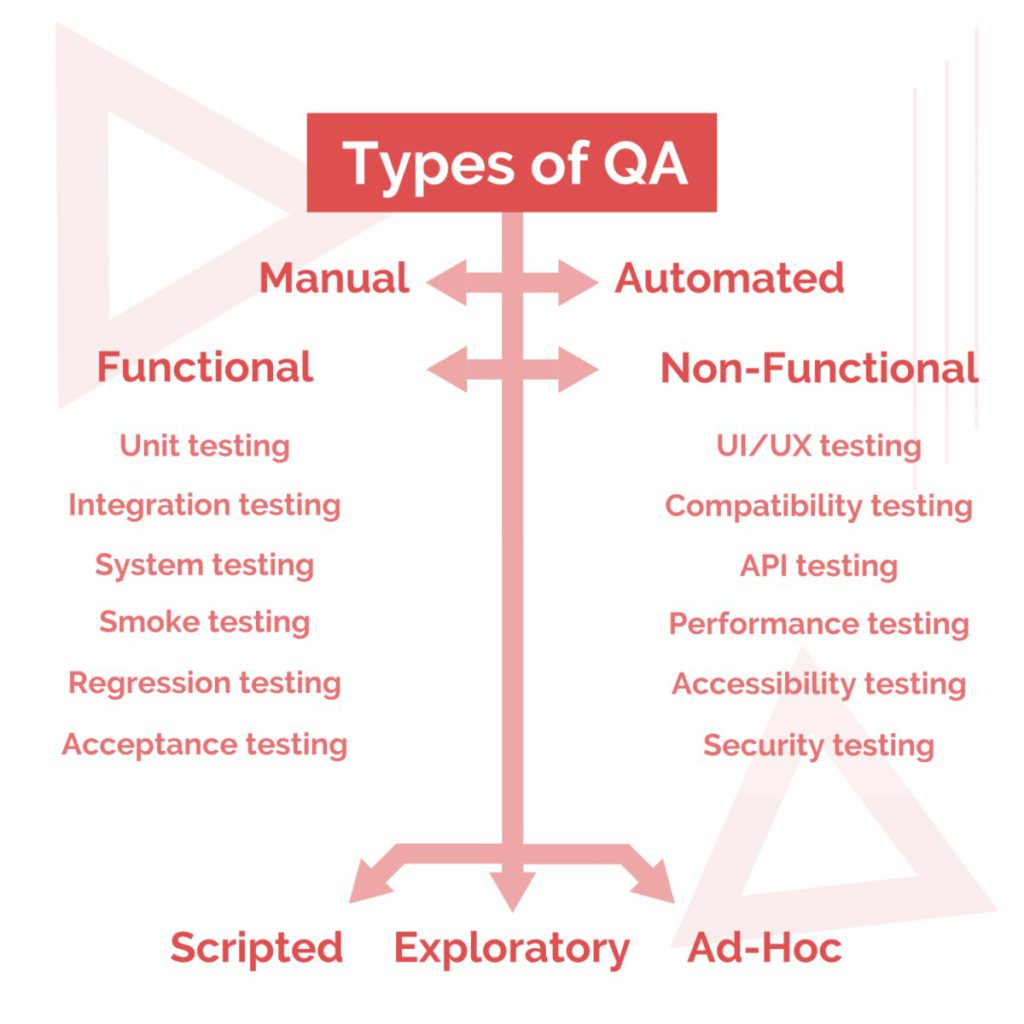
There are various software testing types for manual testing and automated testing, and different testing methodologies such as black-box testing, white-box testing, and gray-box testing. During the testing process, testers may use various testing types such as functional testing, performance testing, security testing, and usability testing.
Software testing helps improve the overall quality of the software product, reduce development costs, and prevent potential issues that could arise after the software is released to users.
Principles of Software Testing
The principles of testing are a set of guidelines that help testers to plan, design, and execute effective software testing. These principles are essential in guiding testers to design and execute effective software testing that will identify defects and improve the overall quality of the software application being tested.
Absence-of-errors fallacy: Finding no defects in the software application does not mean that it is error-free. Testers must be aware of potential risks and unknown issues.
Identifying the presence of defects: Testing is not about proving that software is error-free but about finding defects that need to be fixed. Defects can include code bugs, missing requirements, incorrect functionality, and other issues.
Exhaustive testing is time-consuming: It is impossible to test all possible combinations and scenarios in software applications, so testers must focus on the most critical and high-risk areas.
Early testing saves time and money: It is more cost-effective to identify and fix defects early in the software development life cycle than later in the process.
Defect clustering: In software development, defects often occur in clusters, meaning that a small number of modules or components are responsible for the majority of defects. Testers should focus on these high-risk areas.
Pesticide paradox: Repeating the same tests with the same inputs can result in the same defects being identified repeatedly. Testers must continually update and modify their test cases to find new defects.
Testing is context-dependent: The testing process should be tailored to the specific context and requirements of the software application being tested.
Classification of Different Types of Testing
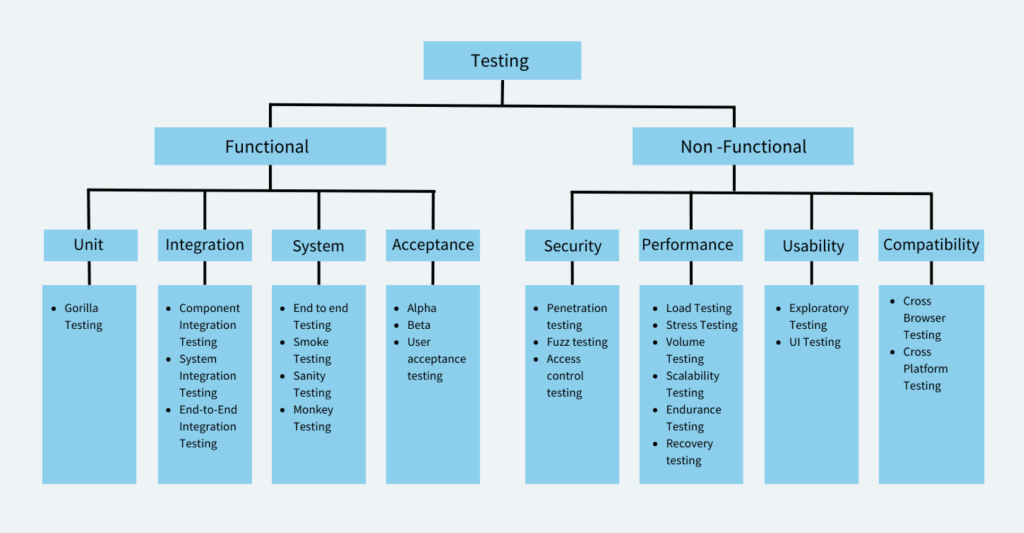
Testing is divided into two types –
Non Functional Testing
Functional Testing
Functional Testing
Functional testing focuses on verifying the functionality of the software system. It is a type of testing that is done to ensure that the system works as intended and meets the functional requirements specified by the stakeholders. Functional testing is concerned with what the software system does, and how it performs its functions. Some examples of functional testing include unit testing, integration testing, and acceptance testing.
Example of Functional Testing:
Let’s say you’re testing a login page of a website. The functional requirements of this login page may include:
- The user should be able to enter their username and password.
- The system should authenticate the user’s credentials and grant access if the credentials are correct.
- The system should deny access if the user’s credentials are incorrect.
To test the functionality of this login page, you may perform the following functional tests:
- Enter valid username and password and verify that the user is able to successfully login.
- Enter invalid username and password and verify that the user is not able to login and an appropriate error message is displayed.
- Verify that the login page displays correctly on different browsers and devices.
- Verify that the password field is secure and does not display the entered password.
- Verify that the “Forgot Password” feature works correctly and allows users to reset their passwords.
Non Functional Testing
Non-functional testing focuses on evaluating the non-functional aspects of the software system. This type of testing includes testing for performance, usability, reliability, scalability, and security. Non-functional testing is concerned with how well the software system performs its functions, rather than what it does. Some examples of non-functional testing include load testing, stress testing, usability testing, and security testing.
Example of Non functional Testing:
Let’s say you’re testing the performance of a website. The non-functional requirements of this website may include:
The website should be secure and protect user data.
The website should be able to handle a certain number of concurrent users.
The website should load pages within a certain amount of time.
The website should be responsive and display correctly on different devices and screen sizes.
Accessible for differently abled users.
What are the Software Testing Techniques and How are They Different from Testing Types?
Software test techniques refer to the methods used to test a software system. The most common software test techniques are
White Box Testing focuses on the software’s internal logic, structure, and coding. It provides testers with complete application knowledge, including access to source code and design documents, enabling them to inspect and verify the software’s inner workings, infrastructure, and integrations.
Black Box Testing is a software testing technique where the internal workings or code structure of the system being tested are not known to the tester.
Integration testing is a testing type in which different modules or components of a software application are tested together as a group to ensure that they work as intended and are integrated correctly. The main aim of integration tests is to identify issues that might come up when multiple components work together. It ensures that individual code units/ pieces can work as a whole cohesively.
Integration testing can be further broken down to:
- Component Integration Testing: This type of testing focuses on testing the interactions between individual components or modules.
- System Integration Testing: This type of testing focuses on testing the interactions between different subsystems or layers of the software application.
- End-to-End Integration Testing: This type of integration testing focuses on testing the interactions between the entire software application and any external systems it depends on.
Example of Integration Tests: A software application consists of a web-based front-end, a middleware layer that processes data, and a back-end database that stores data. Integration tests would verify if the data submitted in the front end is processed by the middleware and then stored by the backend database.
Advantages of Integration testing:
- Early Detection of Issues
- Improved Software Quality
- Increased Confidence in the Software
- Reduced Risk of Bugs in Production
- Better Collaboration Among Team Members
- More Accurate Estimation of Project Timelines
3. System Testing
System testing is a testing type that tests the entire software application as a whole and ensures that the software meets its functional and non-functional requirements. System testing is typically performed after integration testing. During system testing, testers evaluate the software application’s behavior in various scenarios and under different conditions, including normal and abnormal usage, to ensure that it can handle different situations effectively.
Example of System Testing
A software application consists of a web-based front-end, a middleware layer that processes data, and a back-end database that stores data. The system test for this scenario would involve the following steps:
- The user accesses the front-end interface and submits an order, including item details and shipping information.
- The middleware layer receives the order and processes it, including verifying that the order is valid and the inventory is available.
- The middleware layer sends the order information to the back-end database, which stores the information and sends a confirmation message back to the middleware layer.
- The middleware layer receives the confirmation message and sends a response back to the front-end indicating that the order has been successfully processed.
Advantages of System Testing
- Identifies and resolves defects or issues that may have been missed during earlier stages of testing.
- Evaluates the software application’s overall quality, including its reliability, maintainability, and scalability.
- Increases user satisfaction
- Reduces risk
Types of System Testing
a. End to End Testing
End-to-end testing is a testing methodology that tests the entire software system from start to finish, simulating a real-world user scenario. The goal of end-to-end testing is to ensure that all the components work together seamlessly and meet the desired business requirements. Most often people use the term system testing and end to end testing interchangeably. However both of them are different types of testing.
System testing is a type of testing that verifies the entire system or software application is working correctly as a whole. This type of testing includes testing all the modules, components, and integrations of the software system to ensure that they are working together correctly. The focus of system testing is to check the system’s behavior as a whole and verify that it meets the business requirements.
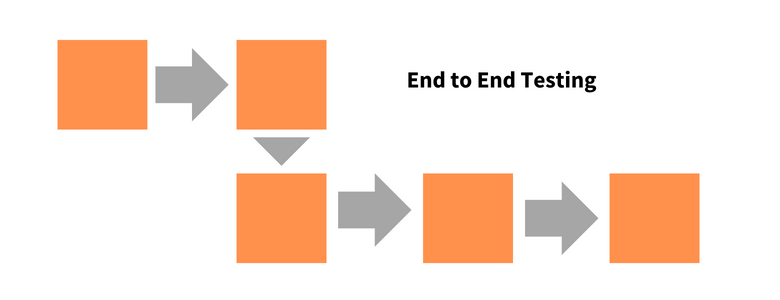
End-to-end testing, on the other hand, is a type of testing that verifies the entire software application from start to finish, including all the systems, components, and integrations involved in the application’s workflow. The focus of E2E testing is on the business processes and user scenarios to ensure that they are working correctly and meet the user requirements.
Example of End to End Testing
E-commerce transaction: End-to-end testing of an e-commerce website involves testing the entire user journey, from product selection to payment, shipping, and order confirmation.
Advantages of End to End testing
- Allows you to test real world scenarios
- Comprehensive testing
- Improves quality
Smoke Testing
Smoke testing is a testing type that is conducted to ensure that the basic and essential functionalities of an application or system are working as expected before moving on to more in-depth testing.
Example of Smoke Testing
Smoke testing for login will check whether the login screen is accessible and if the users can log in.
Advantages of Smoke Testing
- Quick Feedback
- Early detection of defects
Also Read: Sanity Testing vs Smoke Testing
4. Acceptance Testing
Acceptance Testing verifies whether a software application meets the specified acceptance criteria and is ready for deployment. It is usually performed by end-users or stakeholders to ensure that the software meets their requirements and is fit for purpose.
Acceptance Testing can be further divided into two types: User Acceptance Testing (UAT) and Business Acceptance Testing (BAT). User Acceptance Testing is performed by end-users to validate that the software meets their needs and is easy to use. Business Acceptance Testing is performed by stakeholders to ensure the alignment of business/functional requirements with the organization’s objectives.
Example of Acceptance Testing
Conducting tests to meet if an app meets the requirements of the user. For a banking app, acceptance testing would involve testing the app for login, account management, fund transfer, statement download, card payment etc.
Advantages of Acceptance Testing
- Increased stakeholder engagement
- Reduced Risk
- Reduced costs
Types of Acceptance Testing
a. Alpha Testing
Alpha testing is a type of testing that is performed in-house by the development team or a small group of users. It is the first phase of testing that is conducted before the software is released to the public or external users. Alpha testing is a crucial step in the software development process as it helps to identify bugs, defects, and usability issues before the product is released.
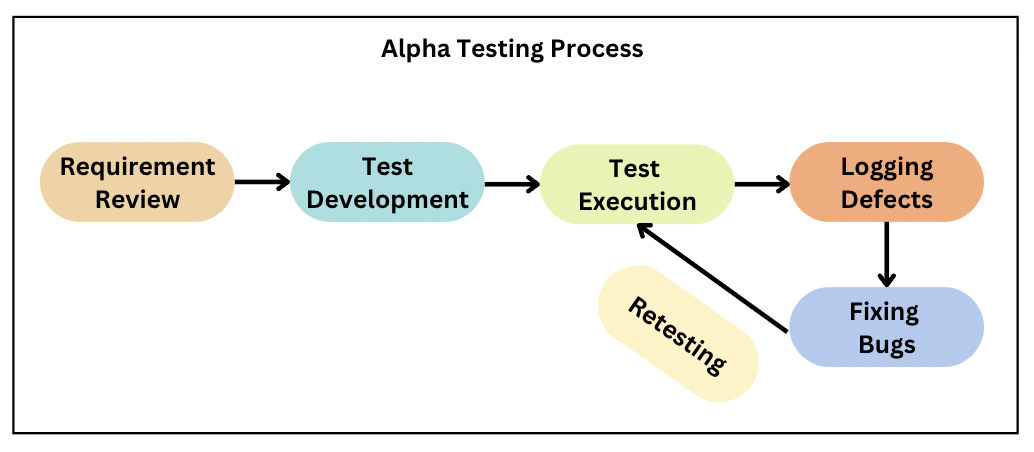
Example of Alpha Testing
A game development company is creating a new game. The development team performs alpha testing by testing the game’s performance, such as loading times, graphics, sound effects, and gameplay.
Advantages of Alpha Testing
- Early detection of issues
- Enhanced user experience
- Feedback from internal users
b. Beta Testing
Beta testing is a type of testing that is performed by a group of external users who are not a part of the development team. The purpose of beta testing is to gather feedback from real users and to identify any issues that were not found during the alpha testing phase.
Example of Beta Testing
A software company is releasing a new feature of its product. The company invites a group of external users to beta test the product and provide feedback on any bugs, defects, or issues that were not found during the alpha testing phase.
Advantages of Beta Testing
- Real-world feedback
- Marketing and promotion
- Enhanced user experience
c. User Acceptance Testing
User acceptance testing is a type of acceptance testing that is performed by the end-users of the software system. The focus of UAT is to validate the software system from a user’s perspective and to ensure that it meets their needs and requirements. UAT is typically performed at the end of the software development lifecycle.
Example of User Acceptance Testing
A company asks a batch of its customers to test the website and provide feedback on its functionality, usability, and overall user experience. Based on the feedback, it makes the necessary changes and improvements to the website.
Advantages of User Acceptance Testing
- Reduced development costs
- Improved customer satisfaction
d. Sanity Testing
Sanity testing is a testing type that is performed to quickly determine if a particular functionality or a small section of the software is working as expected after making minor changes. The main objective of sanity testing is to ensure the stability of the software system and to check whether the software is ready for more comprehensive testing.
Example of Sanity Testing
After fixing a bug that caused a crash in a mobile application, you can perform sanity testing by opening the app and ensuring that it does not crash anymore
Advantages of Sanity Testing
- Quick and efficient
- Saves time and effort
- Cost-effective
Types of Non-Functional Testing
Here are different types of Non Functional Testing:
- Security Testing
- Performance Testing
- Usability Testing
- Compatibility Testing
1. Security Testing
Security testing is a type of software testing that assesses the security of a software application. It helps to identify vulnerabilities and weaknesses in the system and ensure that sensitive data is protected.
Examples of security testing include penetration testing, vulnerability scanning, and authentication testing.
Advantages of Security Testing
- Improved system security
- Protection of sensitive data
- Compliance with regulations
Types of Security Testing
- Penetration testing: This involves attempting to exploit potential vulnerabilities in the software system by simulating an attack from a hacker or other malicious actor.
- Fuzz testing: This involves sending many unexpected or malformed input data to the software system to identify potential vulnerabilities related to input validation and handling.
- Access control testing: This involves testing the software system’s access control mechanisms inorder to make sure that the access to sensitive data is granted only authorized users.
2. Performance Testing
Performance testing is a type of software testing that assesses the performance and response time of a software application under different workloads. It helps to identify bottlenecks in the system and improve the performance of the application.
Examples of performance testing include load testing, stress testing, and volume testing.
Advantages of Performance Testing
- Increased customer satisfaction
- Better scalability
- Improved user experience
Types of Performance Testing
a. Load Testing
Load testing is a type of performance testing that assesses the performance and response time of a software application under a specific workload. It helps to identify the maximum capacity of the system and ensure that it can handle the expected user load.
Examples of Load Testing
Simulating multiple users accessing a website at the same time or performing multiple transactions on a database.
Advantages of Load Testing
- Improved system reliability
- Better scalability
b. Stress Testing
Stress testing is a type of performance testing that assesses the performance and response time of a software application under extreme workloads. It helps to identify the system’s breaking point and ensure that it can handle unexpected workloads.
Examples of Stress Testing
Simulating thousands of users accessing a website simultaneously or performing millions of transactions on a database.
Advantages of Stress Testing
- Improved system reliability
- Better preparedness for real-world scenarios
- Better scalability
c. Volume Testing
Volume testing is a type of testing that assesses the performance and response time of a software application under a specific volume of data. It helps to identify the system’s capacity to handle large volumes of data.
Examples of Volume Testing
Inserting large amounts of data into a database or generating large amounts of traffic to a website.
Advantages of Volume Testing
- Improved system reliability
- Better scalability
d. Scalability Testing
Scalability testing evaluates the software’s ability to handle increasing workload and scale up or down in response to changing user demands. It involves testing the software system under a range of different load conditions to determine how it performs and whether it can handle increasing levels of traffic, data, or transactions.
Examples of Scalability Testing
Testing a website by gradually increasing the number of simulated users accessing the website and tracking how the system responds to it.
Advantages of Scalability Testing
- Optimize system performance
- Better scalability
e. Endurance Testing
The goal of endurance testing is to identify how well a software system can handle a workload over an extended period of time without any degradation in performance or stability. It involves simulating a normal or average workload or traffic scenario over a period of a few weeks to months.
Examples of Endurance Testing
Testing a website for performance with normal or average user traffic over an extended period.
Advantages of Endurance Testing
- Identifies long-term performance issues
- Reduces downtime
- Enhances user experience
3. Usability Testing
Usability testing is focused on evaluating the user interface and overall user experience of a software application or system. It involves testing the software with real users to assess its ease of use, learnability, efficiency, and overall user satisfaction.
Types of Usability Testing
a. Exploratory Testing
Exploratory Testing is a software testing type that is unscripted, meaning that the tester does not follow a pre-defined test plan or test case. Instead, the tester relies on their own expertise, intuition, and creativity to explore the software and find defects.
Example of Exploratory Testing
A tester testing for different actions, such as tapping different buttons, swiping screens, and inputting different types of data . The tester might look for crashes, freezes, errors, and unexpected behaviors throughout the exploration.
Advantages of End to End testing
- Exploratory testing allows testers to be more flexible.
- Exploratory testing can often be more time-efficient
- Used to test real world scenarios
b. User interface Testing (UI Testing)
UI Testing (User interface testing) is a type of software testing that focuses on testing the graphical user interface (GUI) of an application. The purpose of user interface testing is to ensure that the application’s GUI is functioning correctly and meets the requirements and expectations of end-user
Examples of User Interface Testing
Identifying visual bugs in the layout, design, color scheme, font size, and placement of buttons.
Advantages of User Interface Testing
- Identifying visual bugs
- Reduced development costs
- Increased Productivity
- Increased Usability
c. Accessibility Testing
Accessibility testing is a type of testing that is focused on evaluating the accessibility of a software application or system for users with disabilities. It involves testing the software with assistive technologies, such as screen readers or voice recognition software, to make sure that differently abled users are able to access and use the software application effectively.
Examples of Accessibility Testing
Testing a website with a screen reader to ensure that the website is compatible with screen readers and its content is accessible via text-to-speech.
Advantages of Accessibility Testing
- Improved User Experience
- Better Credibility
Also Read: Quick Website Accessibility Testing Checklist
4. Compatibility Testing
Compatibility testing evaluates the compatibility of a software application or system with different hardware, software, operating systems, browsers, and other devices or components.
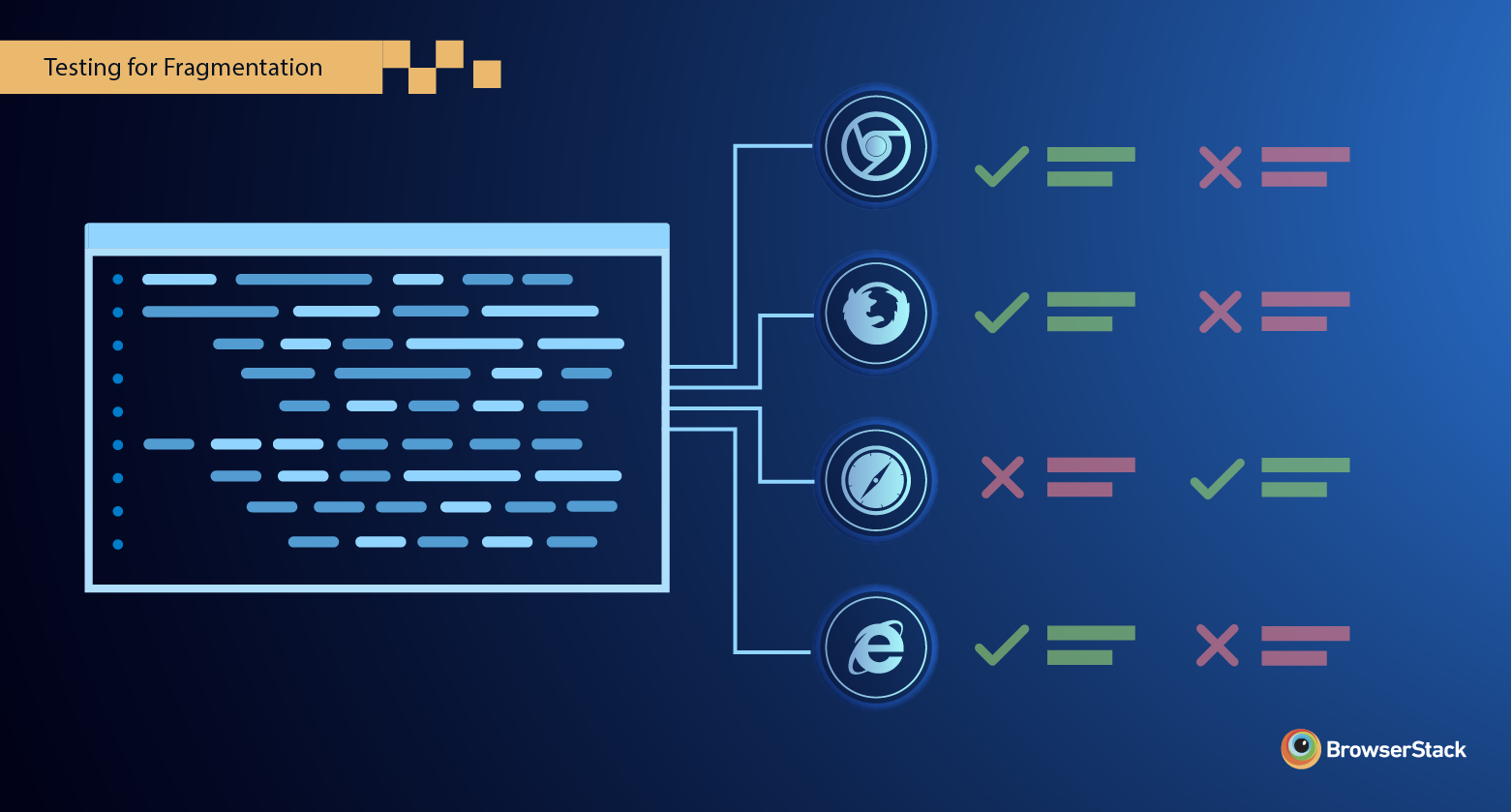
Also Read: Cross Browser Compatibility Testing beyond Chrome
Types of Compatibility Testing
a. Cross Browser Testing
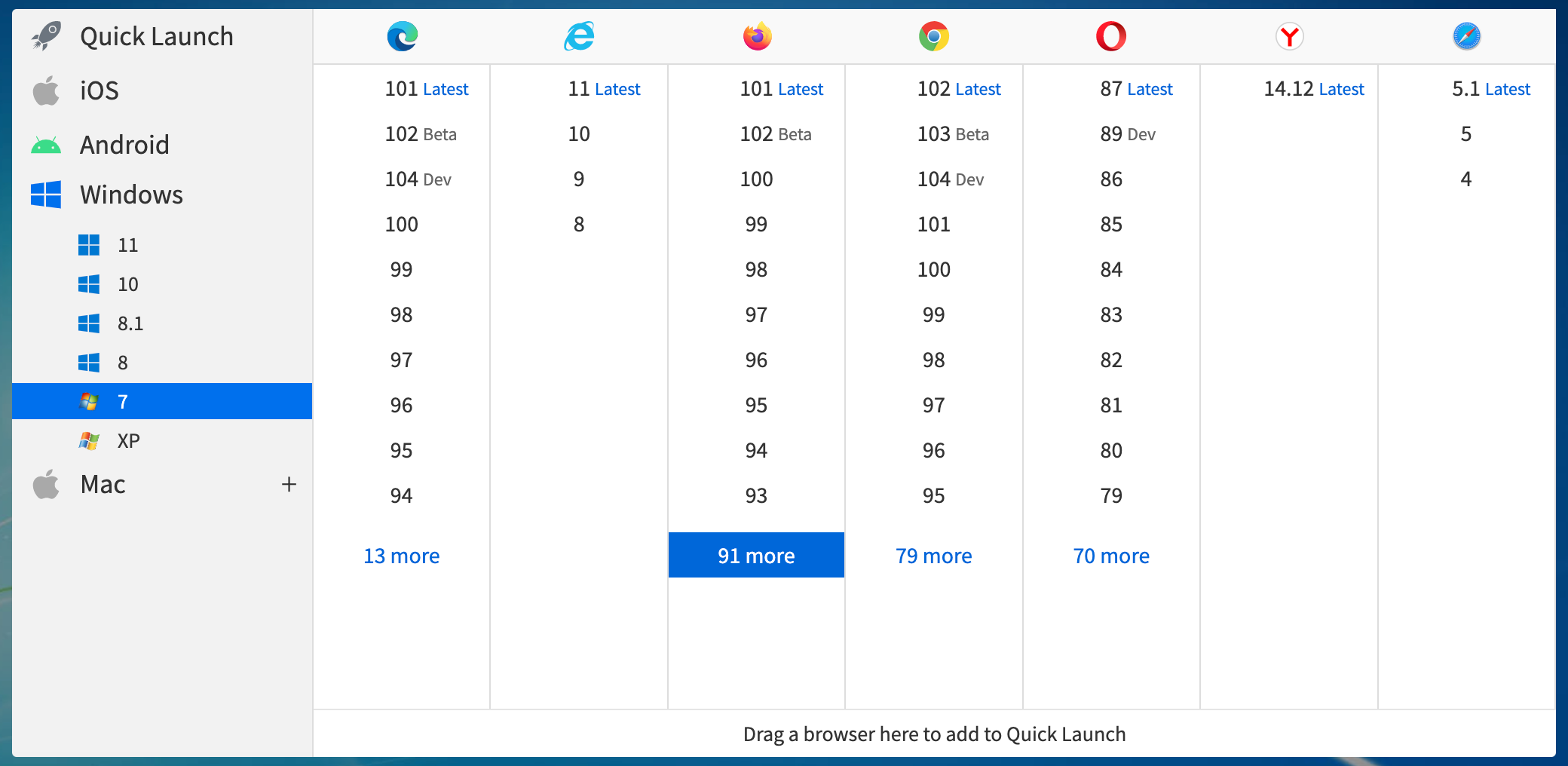
Cross browser testing is a type of software testing that ensures a web application or website works correctly across multiple browsers, operating systems, and devices. It involves testing the website’s functionality, performance, and user interface on different web browsers such as Google Chrome, Mozilla Firefox, Microsoft Edge, Safari, and Opera, among others.
Examples of Cross Browser Testing
A tester testing on different versions of Google Chrome to identify issues that might arise in a particular version or a tester testing on different browsers to identify issues particular to a browser.
Advantages of Cross Browser Testing
- Increased customer satisfaction
- Enhanced brand reputation
- Early detection of issues
- Improved website traffic and conversion
b. Cross platform Testing
Cross platform testing is a testing type that ensures that an application or software system works correctly across different platforms, operating systems, and devices. It involves testing the application’s functionality, performance, and user interface on different platforms such as Windows, macOS, Linux, Android, iOS, and others.
Examples of Cross Platform Testing
A software company is developing a new accounting software system. The company performs cross-platform testing to ensure that the software works correctly on different operating systems such as Windows, macOS, and Linux.
Advantages of Cross-Platform Testing
- Improved software quality
- Competitive Advantage
- Improved market reach
Other Types of Testing
Here are some other types of testing listed below:
- Regression Testing: Regression Testing is a software testing type that ensures that changes or modifications to an existing software application do not introduce new defects or negatively impact existing functionality.
- Recovery Testing: Recovery testing is a type of software testing that evaluates the system’s ability to recover from failures, errors, and other disruptions.
- API Testing: API testing is the process of testing the functionality, reliability, performance, and security of an application programming interface (API). An API consists of protocols, routines, and tools for building software applications.
- Active Testing: This type of testing involves executing test cases with a specific purpose and expected outcome.
- Agile Testing: It is a software testing approach that follows the principles and rules of Agile software development.
- Ad-hoc Testing: This type of testing is performed without any predefined test plan or test case.
- Benchmark Testing: This type of testing involves comparing the performance of the software system against established benchmarks or industry standards.
- Branch Testing: This type of testing is done to ensure that all the branches of the code are tested thoroughly.
- Code-driven Testing: This type of testing involves writing test cases in the same programming language as the code being tested. It helps in finding defects at an early stage of development.
- Context Driven Testing: Context-driven testing is a type of software testing used before launching in the market to test it on all the parameters, including performance, UI, speed, functionalities, and other aspects of the software to identify and fix bugs.
- Dynamic Testing: This type of testing involves you have to give input and get output as per the expectation through executing a test case
- Data Driven Testing: In this type of testing, testers use different data sets to validate the software system’s behavior under different conditions.
- GUI Testing: This type of testing focuses on validating the graphical user interface of the software system. Testers verify that the user interface is intuitive and easy to use.
- Localization Testing: This type of testing ensures that the software system can be easily adapted to different demographics. Language, currency etc are tested here.
- Keyword-driven Testing: This type of testing involves using keywords to define the test cases. Testers use predefined keywords to create test scripts that are executed by an automated testing tool.
- Parallel Testing: This type of testing involves executing the same test cases on multiple systems simultaneously. It helps in identifying performance issues and defects that are specific to certain configurations.
- Path Testing: This type of testing involves testing all possible paths through the code to ensure that each path has been executed, and all the expected outcomes are met.
- Retesting: Retesting is when a test is carried out again on a specific feature that was known to not be functional during the previous test in order to check for its functionality.
- Static Testing: This type of testing involves analyzing the code and other artifacts without executing them. Testers review the code, documentation, and other artifacts to identify defects and potential issues.
Go in the depth of API with a real-life example
Example: Restaurant Analogy
API stands for Application Programming Interface. It is a set of rules that allows different software applications to communicate with each other.
Think of an API like a waiter in a restaurant:
- You (the customer) look at the menu and place an order.
- The waiter (API) takes your order to the kitchen (server).
- The kitchen prepares the food and gives it back to the waiter.
- The waiter brings the food to you.
In this analogy:
- The menu represents what the API offers (available functions or data).
- The waiter (API) is the messenger between the customer (user) and the kitchen (server).
- The kitchen (server) processes the request and returns the result.
Example: API in Technology
Let’s say you use a weather app on your phone. The app doesn’t have its own weather data—it requests it from a weather service API like OpenWeatherMap.

- The app sends a request to OpenWeatherMap’s API:
GET https://api.openweathermap.org/data/2.5/weather?q=Melbourne&appid=your_api_key
2. The API processes the request and responds with weather data in JSON format
json
{
“temperature”: “18°C”,
“humidity”: “60%”,
“condition”: “Cloudy”
}
3. The app displays this data to you.
Why Are APIs Useful?
Automation: Developers can automate tasks like retrieving stock prices or posting to social media.
Efficiency: Apps don’t need to store or process all data themselves.
Connectivity: APIs allow different apps to work together (e.g., Google Maps inside Uber).
 Raphael 's Software Testing's blog